
How do I add a Facebook feed to my website?
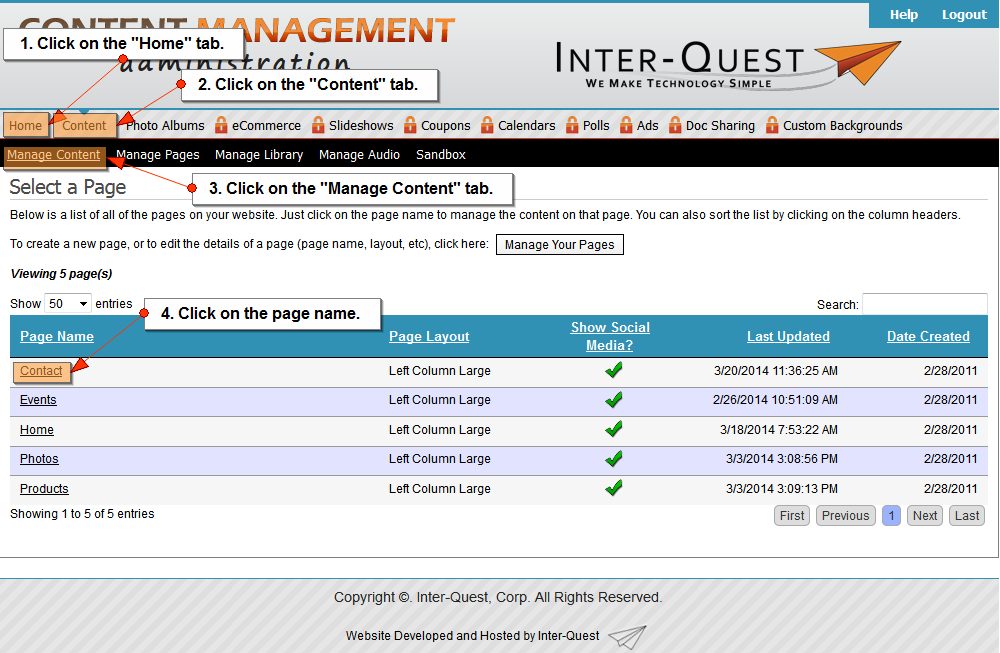
- Click on the "Home" tab.
- Click on the "Content" tab.
- Click on the "Manage Content" tab.
- Click on the page name.
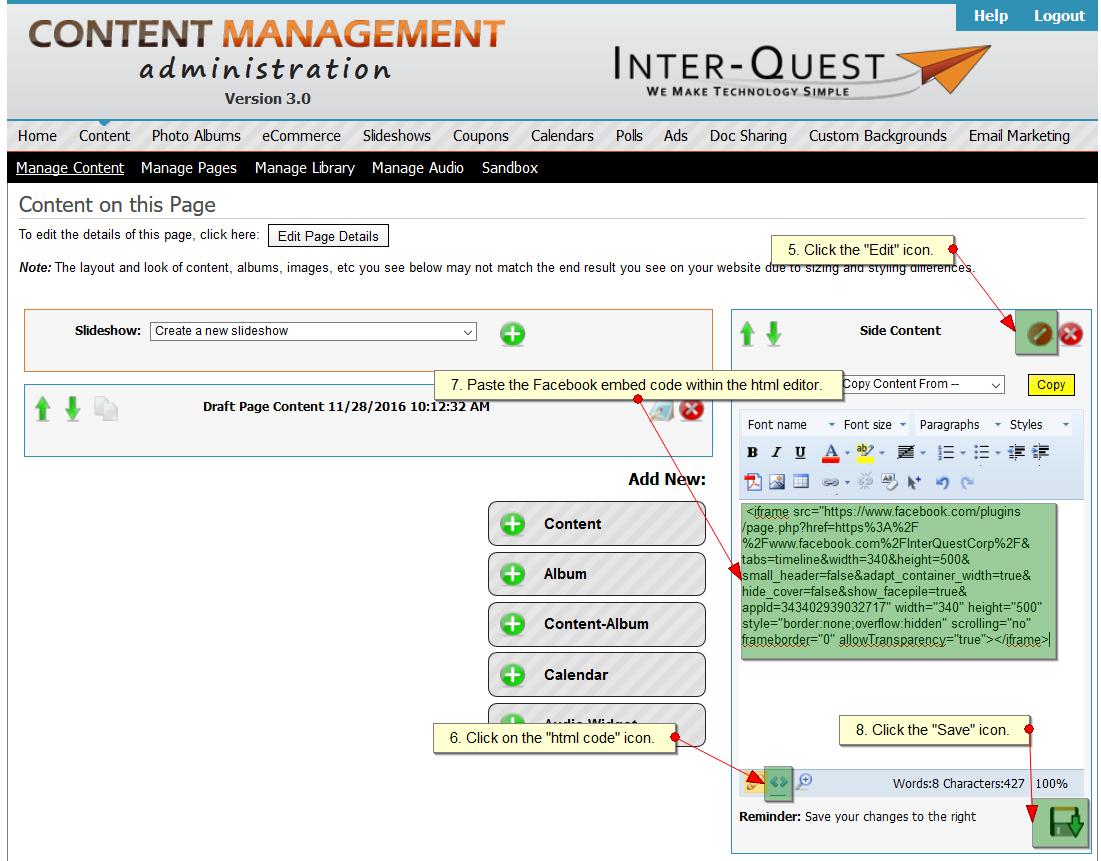
- Click on the "Edit" icon.
- Click on the "html code" icon.
- Paste the Facebook iframe code snippet within the html editor.*
- Click on the "Save" icon.
*Many options for embeding like boxes, videos, comments, etc... may require additonal programing outside the use of the CMS.
Related Topics:
I could still use additional help.
Please fill out the form below.
Items in bold are required.