
How do I remove a page on my website?
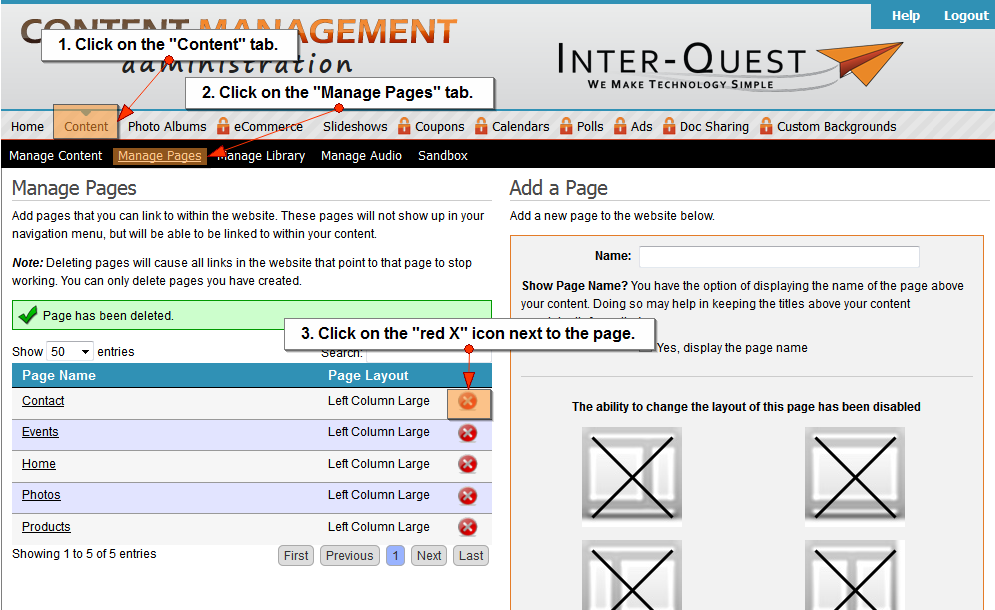
- Click on the "Content" tab.
- Click on the "Manage Pages" tab.
- Click the "red X" icon next to the page.
- A popup box will appear stating "Are you sure you wnat ot delete this page?" Click the "OK" button.
Note: Deleting pages will cause all links in the website that point to that page to stop working. You can only delete pages you have created.
Related Topics:
I could still use additional help.
Please fill out the form below.
Items in bold are required.