
How do I change the page layout?
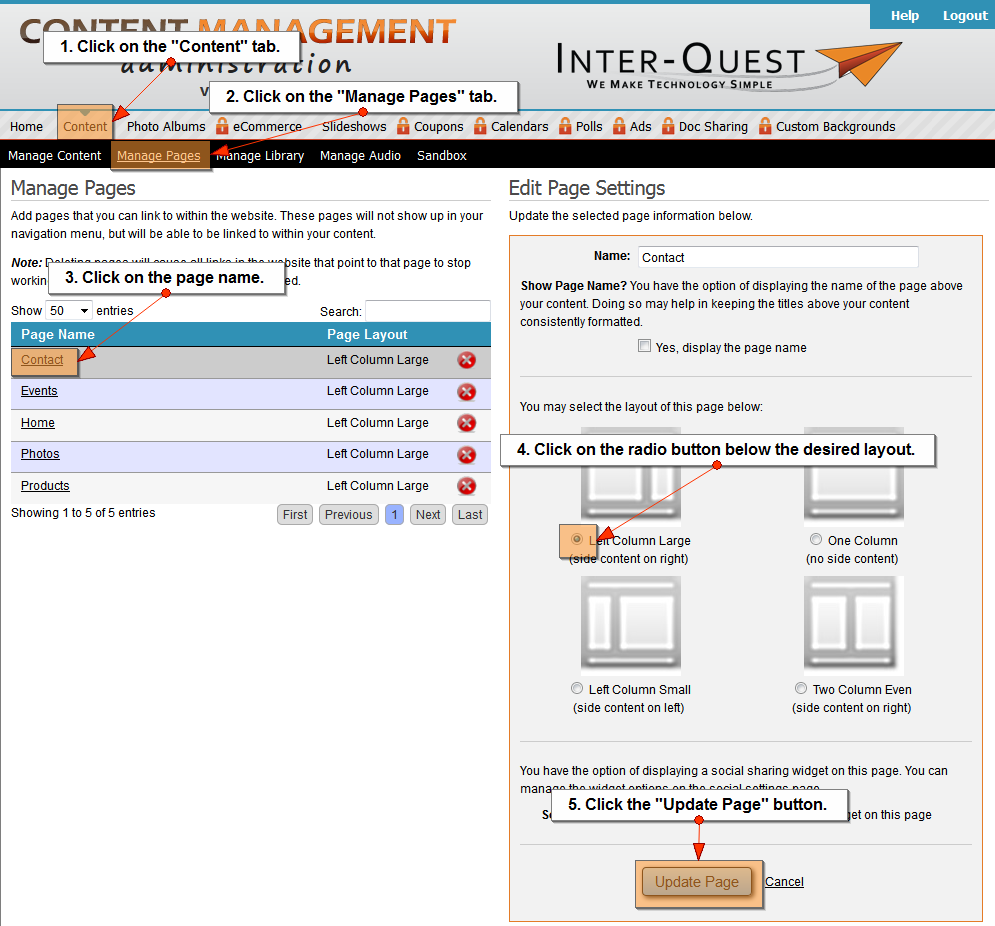
- Click on the "Content" tab.
- Click on the "Manage Pages" tab.
- Click on the page name.
- Click on the radio button below the desired layout.
- Click on the "Update Page" button.
Related Topics:
I could still use additional help.
Please fill out the form below.
Items in bold are required.