
How do I add/edit links on the side content of my website page?
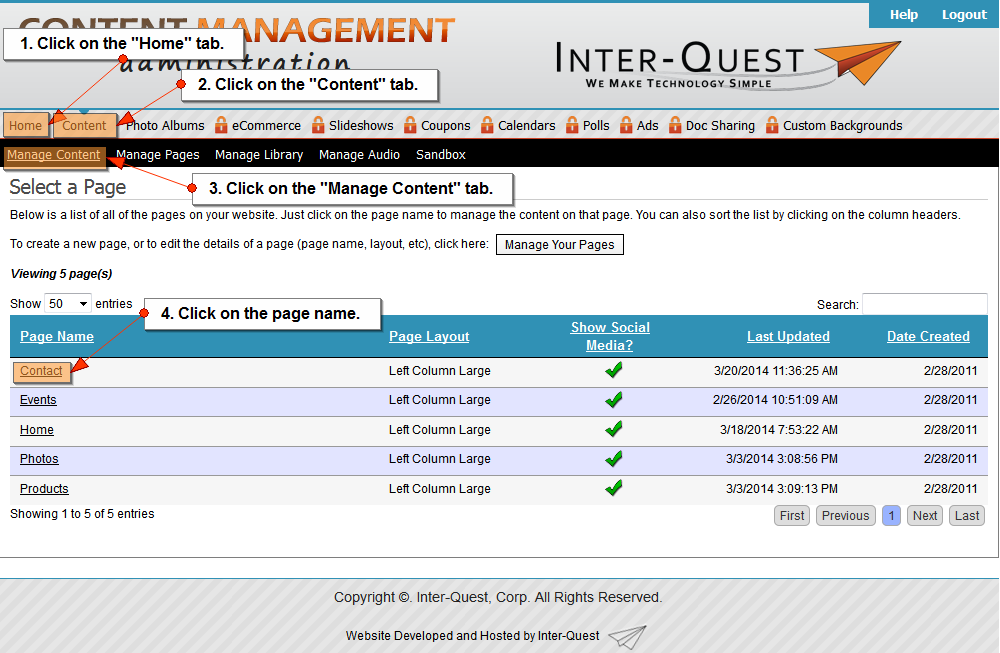
- Click on the "Home" tab.
- Click on the "Content" tab.
- Click on the "Manage Content" tab.
- Click on the page name.
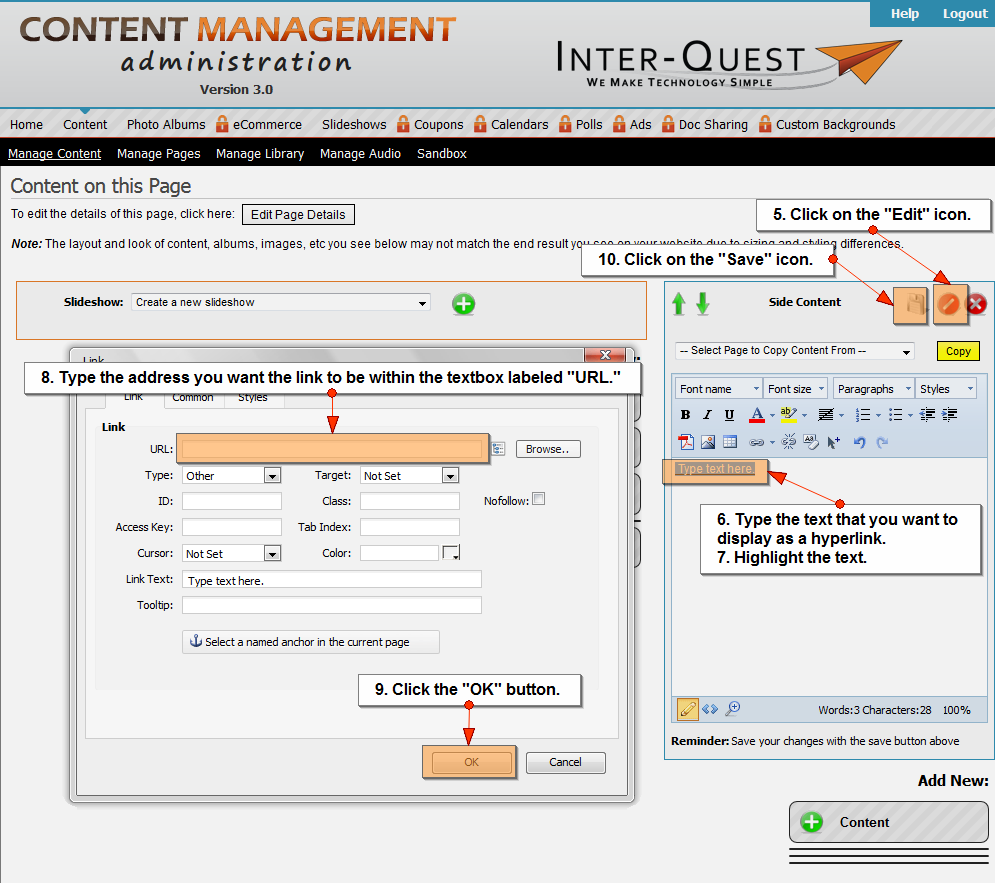
- Click on the "Edit" icon.
- Type the text that you want to display as a hyperlink.
- Highlight the text.
- Click the "Hyperlink" icon.
- Type the address you want to link to be within the textbox labeled "URL."
- Click the "OK" button.
- Click the "Save" icon.
Related Topics:
I could still use additional help.
Please fill out the form below.
Items in bold are required.