
How do I add/edit text onto the side content of my website page?
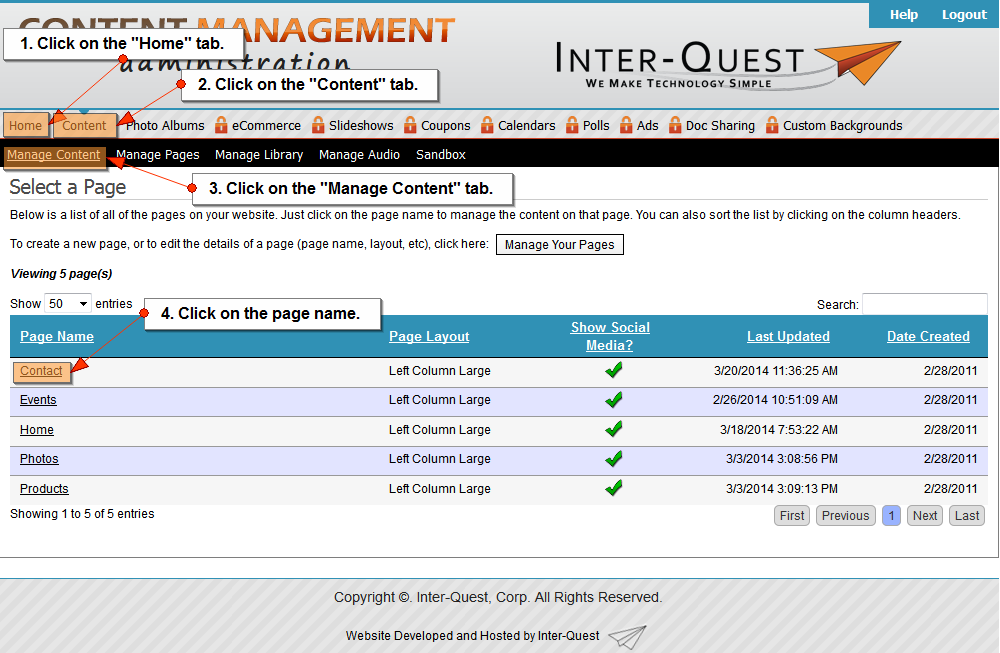
- Click on the "Home" tab.
- Click on the "Content" tab.
- Click on the "Manage Content" tab.
- Click on the page name.
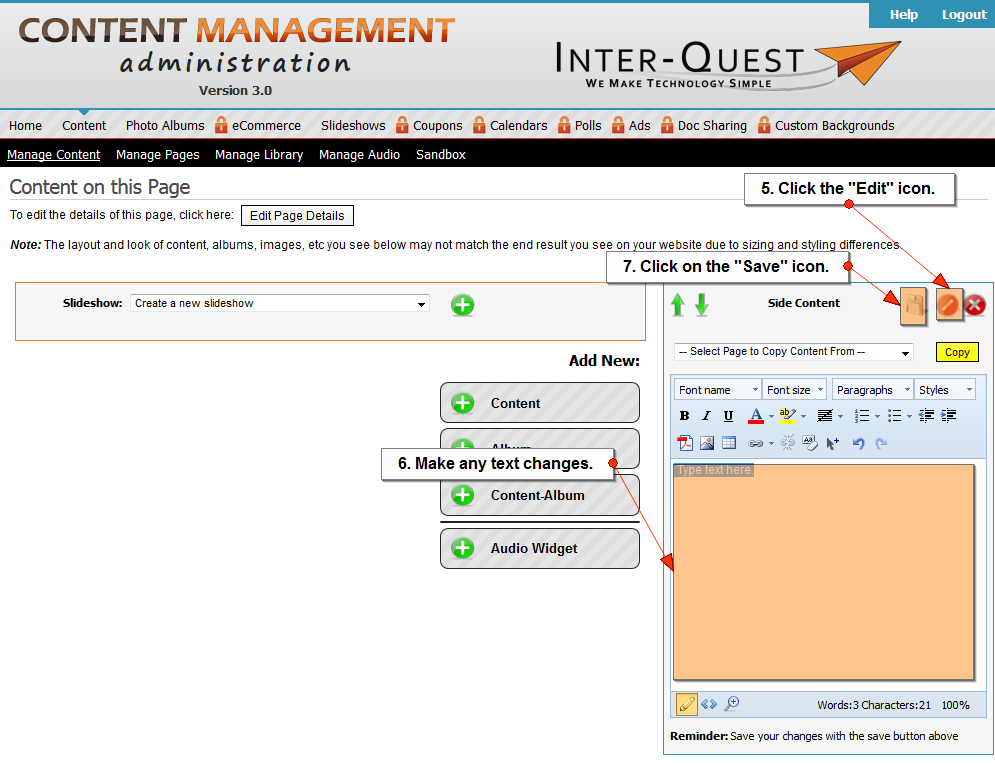
- Click on the "Edit" icon.
- Make any text changes.
- Click on the "Save" icon.
Related Topics:
I could still use additional help.
Please fill out the form below.
Items in bold are required.