
How do I change the social media settings?
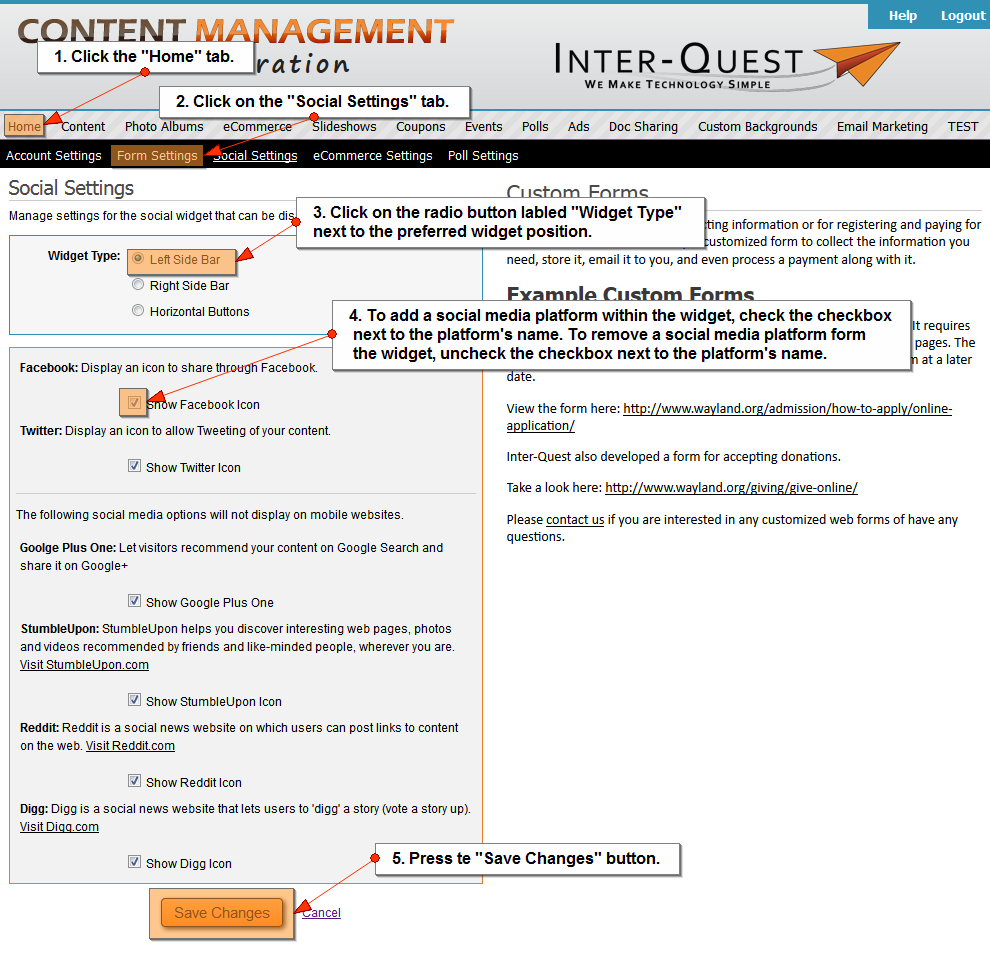
- Click on the "Home" tab.
- Click on the "Social Settings" tab.
- Click on the radio button labeled "Widget Type" next to the preferred widget position (Left Side Bar, Right Side Bar, or Horizontal Bar).
- To add a social media platform within the widget, check the checkbox next to the platform's name.
To remove a social media platform from the widget, uncheck the checkbox next to the platform's name.
- Press the "Save Changes" button.
Google Plus One, StumbleUpon, Reddit, and Digg will NOT display within a mobile website.
Related Topics:
I could still use additional help.
Please fill out the form below.
Items in bold are required.